


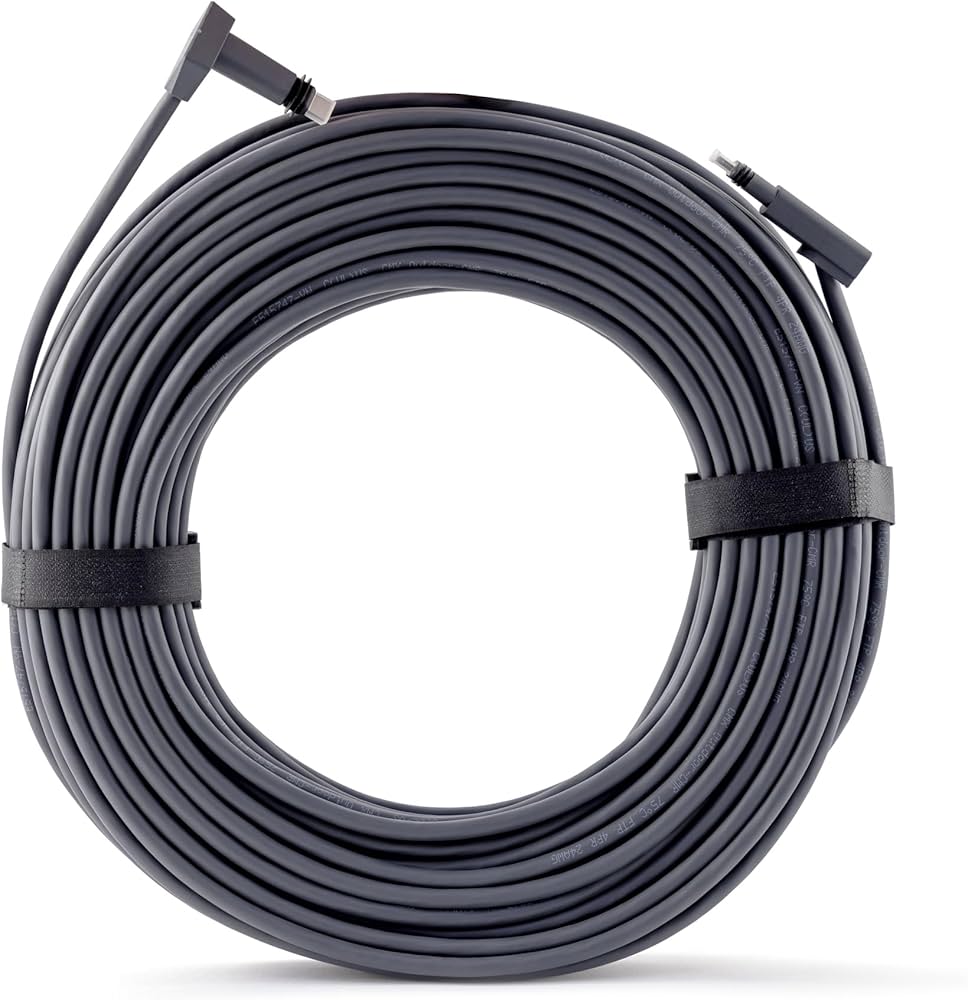
Standard Starlink Cable 15m in Kenya – Reliable Replacement Cable for Starlink Standard Kits

The Standard Starlink Cable 15m is the main connection cable used to link the Starlink Standard dish to the Starlink router or power system, depending on the Starlink generation. It is one of the most important accessories in a Starlink installation because it carries the connection between the outdoor satellite dish and the indoor networking equipment.
For users in Kenya, the 15m Standard Starlink Cable is useful for:
-
Replacing a damaged original cable
-
Setting up Starlink Standard Gen 3 / Standard 4X kits
-
Routing cable from rooftop to indoor router position
-
Connecting homes, offices, lodges, schools, and shops
-
Improving cable management during installation
-
Fixing unstable Starlink connection caused by cable damage
-
Supporting professional roof, wall, or pole installations
A good Starlink cable helps maintain stable power and data transfer between the dish and the router. If the cable is damaged, bent sharply, poorly routed, exposed to water, or crushed, users may experience disconnections, slow performance, or “Starlink Disconnected” errors.
Standard Starlink Cable 15m Image

Why the Standard Starlink Cable 15m Is Important
| Feature | Benefit |
|---|---|
| 15m cable length | Suitable for most home and office installations |
| Standard Starlink compatibility | Works with supported Standard Starlink kits |
| Outdoor routing support | Useful for rooftop dish installations |
| Replacement use | Restores connectivity when old cable is damaged |
| Stable power/data transfer | Helps maintain reliable Starlink performance |
| Cleaner installation | Supports organized cable routing |
| Weather-resistant design | Better outdoor durability |
| Professional deployment support | Suitable for installers and technicians |
| Shorter cable management | Easier to handle than longer cables |
| Essential connection component | Required for dish-to-router communication |
The 15m cable is ideal when the dish is installed close enough to the indoor router location. It is especially useful for homes, small offices, apartments, shops, schools, lodges, and standard rooftop installations.
Complete Standard Starlink Cable 15m Specifications
Detailed Technical Specifications Table
| Specification Category | Details |
|---|---|
| Product Name | Standard Starlink Cable 15m |
| Cable Length | 15m / 49.2 ft |
| Main Purpose | Connects Starlink dish to router/power system |
| Compatible Kits | Starlink Standard / Standard Gen 3 / Standard 4X depending on connector type |
| Installation Type | Indoor and outdoor routing |
| Best Use | Home, office, rooftop, wall, and pole installations |
| Cable Function | Power and data connection |
| Outdoor Use | Yes |
| Weather Resistance | Yes, when properly connected |
| Cable Color | Usually black or dark grey depending on version |
| Replacement Use | Yes |
| Deployment Type | Permanent or semi-permanent |
| Best For | Standard-length Starlink installations |
| Professional Installation | Recommended for roof and wall routing |
Standard Starlink Cable 15m Compatibility Table
| Starlink System | Compatibility Notes |
|---|---|
| Starlink Standard Gen 3 | Compatible with correct Gen 3 cable type |
| Starlink Standard 4X | Compatible with correct Standard cable type |
| Starlink Version 4 Kit | Compatible with supported Standard cable |
| Starlink Standard Actuated Gen 2 | Requires Gen 2-specific cable, not Gen 3 cable |
| Starlink Mini | Not the same as Mini DC Power Cable |
| Starlink High Performance | Uses different cable system |
| Starlink Enterprise Kit | Uses enterprise cable configuration |
Always confirm the Starlink kit generation before buying a replacement cable because Starlink cable connectors differ between models.
Standard Starlink Cable 15m vs Longer Starlink Cables
Detailed Cable Length Comparison Table
| Cable Length | Best Use | Advantages | Limitations |
|---|---|---|---|
| 15m | Standard homes and offices | Easy routing and cleaner installation | May be short for large buildings |
| 30m | Larger homes, lodges, and farms | Better distance flexibility | More cable to manage |
| 45m+ | Large compounds and complex sites | Maximum routing flexibility | Higher cable management complexity |
| 75ft / 23m | Medium-distance setups | Better than 15m for larger roofs | May still be short for large compounds |
| 150ft / 45m | Long-distance installations | Excellent for difficult locations | Requires careful routing |
The 15m cable is best for simple and clean installations, while longer cables are better when the dish must be positioned farther away from the router to avoid obstructions.
Best Applications for Standard Starlink Cable 15m in Kenya
Use Case Table
| Use Case | How the Cable Helps |
|---|---|
| Residential Homes | Connects rooftop dish to indoor router |
| Apartments | Supports balcony or roof-edge installations |
| Small Offices | Provides stable dish-to-router connection |
| Shops | Supports business internet deployment |
| Schools | Enables classroom and admin internet setup |
| Lodges | Supports guest internet installations |
| Farms | Useful where dish is close to the main building |
| Clinics | Supports reliable connectivity for operations |
| Construction Sites | Enables temporary office internet |
| Backup Internet | Helps restore Starlink when original cable fails |
Detailed Installation Planning Table
How to Choose the Right Cable Length
| Installation Question | Recommendation |
|---|---|
| Is the router close to the dish? | 15m cable is usually enough |
| Is the dish on a high rooftop? | Measure route before buying |
| Is the cable passing through walls? | Add extra distance allowance |
| Is the building large? | Consider 30m or longer |
| Are there many bends? | Add cable length allowance |
| Is the dish far from power/router room? | Use longer cable |
| Is this for a replacement cable? | Match the original cable type |
| Is the site rural or spread out? | Consider longer cable options |
Cable Routing & Installation Best Practices
| Best Practice | Why It Matters |
|---|---|
| Avoid sharp bends | Prevents internal cable damage |
| Do not crush the cable | Prevents disconnections |
| Use cable clips | Keeps installation clean |
| Avoid standing water | Protects connectors |
| Seal wall entry points | Prevents leaks |
| Keep cable away from heat | Improves lifespan |
| Do not stretch the cable tightly | Prevents connector stress |
| Leave small service loops | Easier maintenance |
| Avoid walking paths | Reduces physical damage |
| Test before final routing | Confirms cable works properly |
Common Cable Problems & Solutions
| Problem | Likely Cause | Solution |
|---|---|---|
| Starlink shows “Disconnected” | Damaged or loose cable | Check both cable ends |
| Internet drops randomly | Cable bend or weak connector | Inspect and replace if needed |
| Router powers but no dish connection | Cable fault | Test with replacement cable |
| Slow speeds after installation | Poor dish placement, not cable | Check obstructions |
| Cable damaged by roof edge | Poor routing | Re-route and protect cable |
| Water entered wall route | Poor sealing | Seal entry point properly |
| Cable too short | Wrong length selected | Use longer compatible cable |
Standard Starlink Cable 15m vs Ethernet Cable
| Feature | Standard Starlink Cable | Normal Ethernet Cable |
|---|---|---|
| Main Use | Starlink dish connection | LAN networking |
| Power Support | Yes, depending on Starlink system | Usually no unless PoE configured |
| Weather Resistance | Designed for Starlink deployment | Varies |
| Connector Fit | Starlink-specific on many models | Standard RJ45 |
| Replacement Use | Starlink hardware only | General networking |
| Outdoor Suitability | Better for Starlink installations | Depends on cable type |
| Recommended Substitute | Use genuine compatible Starlink cable | Do not substitute casually |
Do not assume ordinary Ethernet cable can replace a Starlink cable unless your specific Starlink generation officially supports that connection type and the cable meets outdoor/PoE requirements.
Why Buy from Starlink Nairobi Installers

Buying your Standard Starlink Cable 15m from Starlink Nairobi Installers gives you access to genuine Starlink-compatible accessories and professional support.
| Service | Benefit |
|---|---|
| Genuine cable supply | Better compatibility and reliability |
| Cable replacement support | Fixes damaged or faulty connections |
| Roof cable routing | Cleaner professional installation |
| Wall entry sealing | Prevents water leakage |
| Obstruction analysis | Helps position dish better |
| Installation troubleshooting | Faster fault diagnosis |
| Cable length guidance | Helps avoid buying the wrong length |
| Nationwide support | Suitable for customers across Kenya |
Frequently Asked Questions
1. What is the Standard Starlink Cable 15m?
It is a 15m cable used to connect the Starlink Standard dish to the router or power system.
2. Is the 15m Starlink cable enough for most homes?
Yes. It is enough for many standard home and office installations, but larger buildings may need a longer cable.
3. Can I use it with Starlink Mini?
No. Starlink Mini uses Mini-specific DC power cables and USB-C options.
4. Can I use it with Starlink Gen 2 Actuated?
Only if it is the correct Gen 2 cable type. Gen 2 and Gen 3 cables are not always interchangeable.
5. What happens if my Starlink cable is damaged?
You may experience disconnections, unstable internet, or “Starlink Disconnected” errors.
6. Can I repair a damaged Starlink cable?
It is usually better to replace it with a compatible cable, especially for outdoor installations.
7. Can I use normal Ethernet cable instead?
Not unless your specific Starlink model supports it and the cable is properly rated. Use a genuine compatible cable where possible.
8. Is the cable weather resistant?
Yes, when correctly connected and routed, it is suitable for outdoor Starlink installations.
9. Can Starlink Nairobi Installers help replace it?
Yes. They can supply the cable, inspect the issue, replace the damaged cable, and test the connection.
10. Is 15m better than 30m?
15m is easier to manage and cleaner for short routes. 30m is better when the dish must be farther from the router.
11. Can poor cable routing affect performance?
Yes. Sharp bends, crushed sections, water exposure, and loose connectors can cause connection issues.
12. Should I get professional installation?
Yes, especially for rooftop, wall, office, lodge, or long-term outdoor installations.
Standard Starlink Cable 15m Video Review & Installation Guide


Watch the Full Video Here:
Standard Starlink Cable 15m Installation Video
The Standard Starlink Cable 15m is one of the most important parts of a reliable Starlink installation because it carries the essential connection between the dish and the indoor networking system. If the cable is damaged, poorly routed, or loosely connected, the Starlink system may fail to communicate properly, leading to disconnections or unstable service.
One of the biggest advantages of the 15m cable is that it provides enough length for many standard roof, wall, balcony, and office installations without creating too much cable clutter. This makes it easier to achieve a clean, professional-looking setup while still allowing the dish to be positioned in a location with good sky visibility. For homes, shops, apartments, and small offices in Kenya, the 15m cable is often a practical and manageable cable length.
The video demonstrates cable installation, routing, replacement, and setup practices for Starlink users. It helps customers understand how to connect the cable properly, avoid common cable damage, and choose the right cable route for better long-term reliability. Combined with professional installation from Starlink Nairobi Installers, users can achieve a cleaner, safer, and more reliable Starlink setup.
The Standard Starlink Cable 15m is an essential accessory for Starlink Standard Kit users who need a reliable dish-to-router connection, clean cable replacement, and professional outdoor routing. It is ideal for homes, offices, shops, apartments, lodges, schools, and small business installations where the dish is close enough to the router location.
As Starlink installations continue growing across Kenya, using the right cable and routing it properly is critical for long-term performance. A damaged or poorly installed cable can cause service interruptions, while a correctly installed compatible cable helps maintain stable power, data transfer, and overall Starlink reliability.
For genuine Standard Starlink Cable 15m replacements, professional cable routing, rooftop installation, fault diagnosis, obstruction analysis, and complete Starlink installation services, purchase directly from Starlink Nairobi Installers and enjoy reliable satellite internet connectivity anywhere in Kenya.